Your AI team keeps your project moving while you’re away. It finds the next useful step, does the work and checks the result. With the context and results in one place, you can catch up quickly and make the calls that need you.
Follow a goal from the first signal to a checked result, then see what the team does next.
o.Balcony Garden GuideIllustrative scenario
Your goal
Grow a useful gardening publication and its audience.
Publish two articles a week and keep the guides up to date.
Apply for a pilot
Checked result
Sources checked. Editorial review passed. Published page checked.
Work status 1 of 2 articles published this week
Effect to observe
Reader newsletter sign-up rate
Sample baseline
2% of eligible readers
Target
3% in the next 28 days
Audience response awaits the next 28-day analytics export.
Picked up a signal
An approved source updates its advice. The team revisits the balcony herb guide so readers get current advice and can sign up for seasonal updates.
Why this work matters
The team prioritizes the seasonal advice, writes the article and checks it against the sources. Publishing was already authorized; the team checked the page afterward.
Working on next
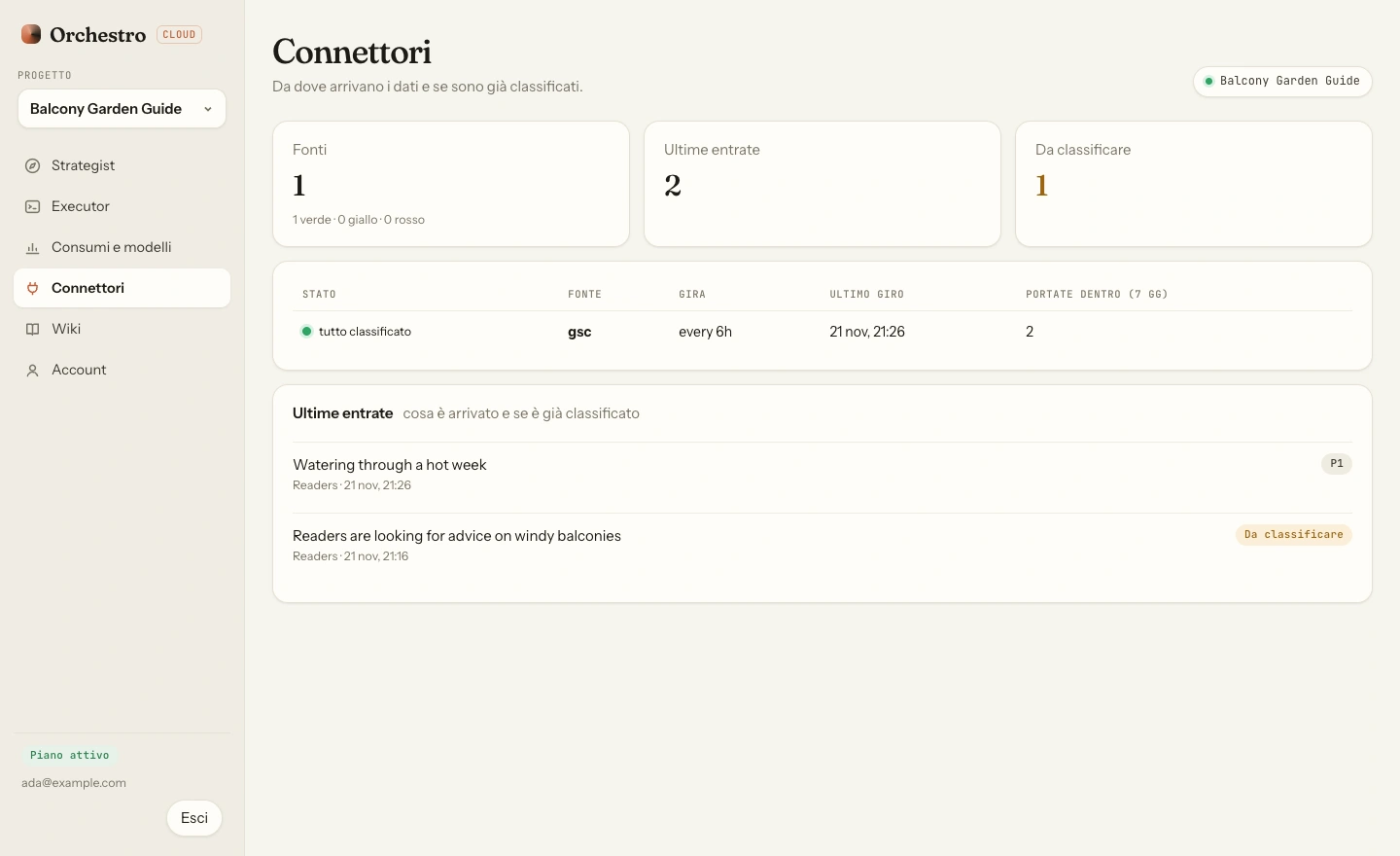
Writing the next guide: watering through a hot week
A new source update answers a question readers keep asking.
What matters nextResearch and update the autumn planting calendar once you choose a region
Needs your decisionWhich region should the next guides serve?
You choose the audience. The team researches the local advice and keeps writing the watering guide in the meantime.
What changed, what’s checked, what’s still being measured
Published Content work is documented in the pilot case study.
How the work began
An approved source updates its advice. The team revisits the balcony herb guide so readers get current advice and can sign up for seasonal updates.
The team prioritizes the seasonal advice, writes the article and checks it against the sources.
Publishing was already authorized; the team checked the page afterward.
Reader newsletter sign-up rate
Work status
1 of 2 articles published this week
Effect
Audience response awaits the next 28-day analytics export.
The schedule tracks two useful articles a week. The separate audience goal is to help more eligible readers sign up for seasonal updates. The sample baseline is 20 confirmed sign-ups / 1,000 unique article visitors over 28 days, excluding existing subscribers. The next complete 28-day export uses the same definition.
Publishing and release follow the project’s existing permissions. Only work outside that scope needs a new decision. Characters show responsibilities, not a count of simultaneous agents.
One goal. Shared context. A team that keeps work moving.
One agent chooses the next useful job, another does the work, and a separate check records the result. The team uses that evidence to choose what comes next. You have fewer updates to chase and less context to explain again.
Example · Balcony Garden GuideKeep the gardening guides useful
ChooseThe Strategist starts with reader questions and the publication goal.
DoThe Executor writes the guide using the agreed sources.
CheckA separate review checks the page. The team carries the evidence into its next decision.
It finds what matters next.
The team sorts signals from configured sources by what will help your goal.
Illustrative sequences. Playback time is separate from task duration.
Your models. Less wasted work.
Balance quality, speed and cost without losing your project’s context.
Give each job the context it needs. Reuse relevant decisions and results, choose a supported model for the work, and check the result. The aim is to spend fewer tokens on repeated context and avoid unnecessary rework while keeping quality.
Orchestro works with different models. The public Cloud setup guides you through connecting your own Claude account. Other supported subscriptions or API connections depend on your project setup. Your goal, context and work history stay with the project, and AI usage stays on your provider account.
Use a model that can weigh conflicting sources. A separate check makes sure the article supports what it says.
Example choices. The workspace and its history stay the same.
How model choice works in a pilot
Each project configures its supported tools and providers. A configured provider chain can hand work to the next installed and authorized provider when quota runs out. If none is available, work waits with the reason recorded. The priorities above illustrate setup choices.
The articles show what shipped. Traffic, conversion and revenue impact are unmeasured here. ARVO’s reliability work shaped how Orchestro checks results. The public Content observation was stale when checked on 21 November 2026. ARVO’s public view was coming online.
These are proposed rates. Account creation is free. For current Cloud terms, see the app.
Each extra lane lets one more task run in parallel, within your project’s limits.
No extra lanes selectedBase price
Use your own AI accounts. Bring supported subscriptions or API keys and quotas. Hosting and infrastructure requirements are agreed during setup. See supported tools
Want help with your project?
We’ll agree on a useful first result, set up your team together and review its first cycle with you.
Your own project
For founders and small teams running a publication, building a product or keeping recurring work on track.
Yes. Create an Orchestro Cloud account with an email link. Workspace access follows review, preparation and setup. The teams shown here have their own availability and scope.
Tell us about your project and request a workspace. We review your request, prepare the approved space and guide you through connecting your supported AI account.
Orchestro Cloud uses an email link. Signing up and starting the trial require no password or card. Any AI usage or subscription costs stay on your own provider account.
The public Cloud setup guides you through connecting your own Claude account. The platform supports other models through configured connections. The options you can use depend on your project setup, and AI usage stays on your own account or plan.
Choose the assisted pilot for a client project, help with configuration or scope that needs agreement. We review your goal, permissions, available tools and the first result together. The pilot is separate from the Cloud trial.
Content builds on published pilot work and Product on a historical reliability case. Sales has technical test evidence. We scope Growth and Operations for a pilot, discuss Security as a proposal, and explore Research and Support case by case.
Is the Security Team available now?
Security is a proposed application-security pilot. We first agree on the authorized scope, tool and model access, evidence and release rules. Its illustration does not demonstrate a deployed Security service.
What does the pilot cost?
The private preview is free. You cover your agent subscriptions, provider usage and infrastructure. We agree on the project and operating limits before work starts.
How is the monthly price calculated?
The pricing preview is €100 per workspace per month, plus €20 per extra lane. AI usage stays on your own supported account. These are proposed rates. Creating a Cloud account is free, and current Cloud terms are shown in the app.
Do I need to be a developer?
Your goal can be a publication or a content system. The pilot still needs configured agents, sources and a suitable execution host. Tell us what you already use, or choose “I need help with setup” in the application.
Where does the work run?
On the configured computer or server. With a separate server kept online, the team can work day or night while your laptop is closed. If the laptop is the host, it must stay awake. Access, quotas and scheduling still apply.
The host needs authenticated agents and access to project sources. The cloud shows observations and carries supported requests.
You set the goal, priorities, permissions and limits. Work waits when it needs a decision or evidence. Publishing, spending and releasing follow the authority agreed for the project.
Can I use it for client projects?
Agencies and system integrators can propose an internal project or one client project for a scoped pilot. Access, client authority and setup are agreed case by case; there is no public reseller or certification programme.
What would you like to move forward?
Sign up by email. We’ll review your request and prepare your workspace.